Entering players in a competition
A competition's page is opened from its name on the Competitions tab, or from the dark green bar. It is headed by the competition's name, with two tabs beneath: Players and Scores. A knockout has a third, Losers, which is described under A losers knockout. It opens on Players, since the players are entered before anything is played.
A player in a competition is one of the tournament's players, so they are entered by choosing them rather than by typing them. Everything about them but their place in the competition, and what they carry forward into it, is changed on the tournament's Players tab.
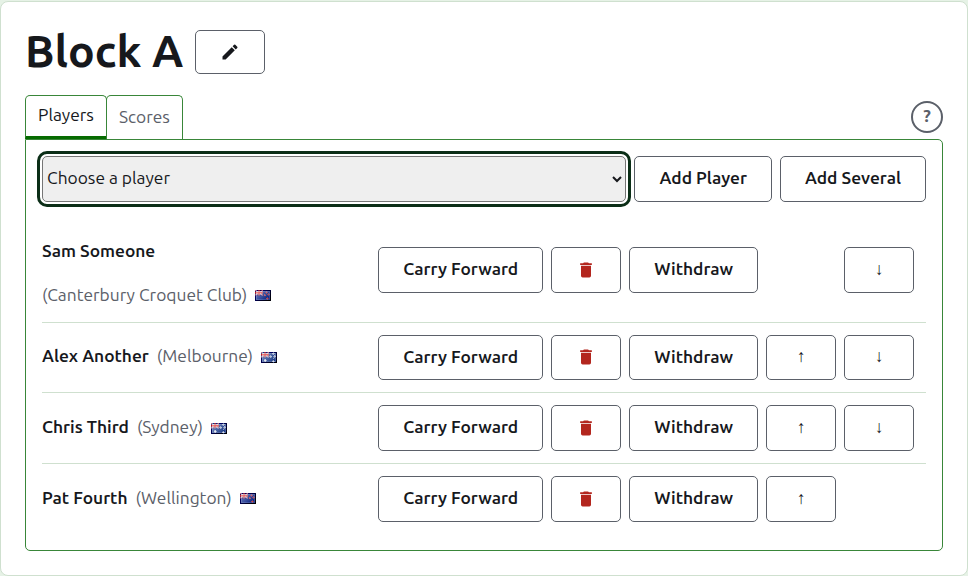
Adding a player
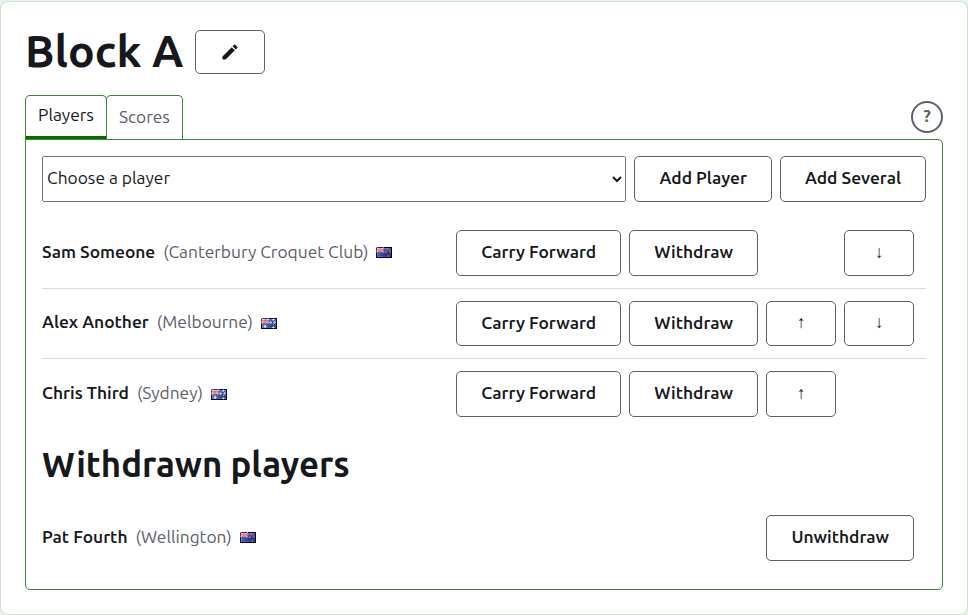
Above the list, a drop-down offers every player of the tournament who is not already in the competition, in the tournament's order. Choose one and press Add Player. The player is put in the tournament's order among those already entered, the drop-down no longer offers them, and the cursor goes back to the drop-down so that the next can be chosen from the keyboard. Where every player of the tournament is in the competition, the drop-down is not shown and the tab says so.
Archived players of the tournament are not offered.
Adding several players
To set a competition up quickly, press Add Several, beside Add Player. It is offered where there are two or more players to choose from. It opens a dialog listing every player of the tournament who is not in the competition, in the tournament's order, each with a box to tick. The box above the list ticks them all.
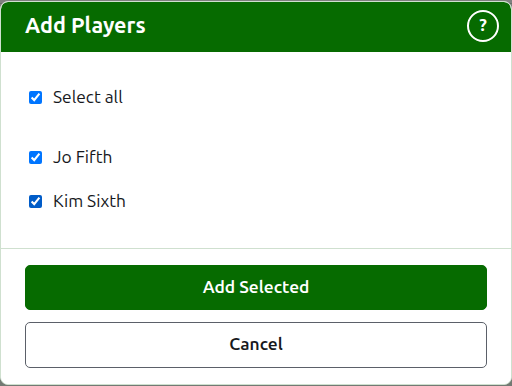
Tick the players you want and press Add Selected. They are all entered at once, and are put in the tournament's order whatever order you ticked them in. Press Cancel to close the dialog without adding anybody. Pressing Add Selected with nobody ticked does nothing.
Sometimes a player ticked cannot be entered: somebody else may have put them in the competition while the dialog was open, or a knockout may have fewer places left than players ticked. Nobody is entered at that point. A second dialog lists the players who cannot be added, each with the reason, and asks whether to add the rest of those you ticked. Press Add the Rest to enter the ones who can be, or Cancel to go back to the ticks, which are as you left them, and change them. Where none of the players ticked can be entered, there is nothing to decide, and the reasons are shown above the list.
A knockout's byes are not part of this. They are added one at a time from the drop-down, as Byes in a knockout describes.
Byes in a knockout
A knockout is played only once every place in its draw is filled, and the places its players leave over are filled with byes. So in a knockout the drop-down offers Bye first, before the players, and goes on offering it however many byes are added, since a draw can need several.
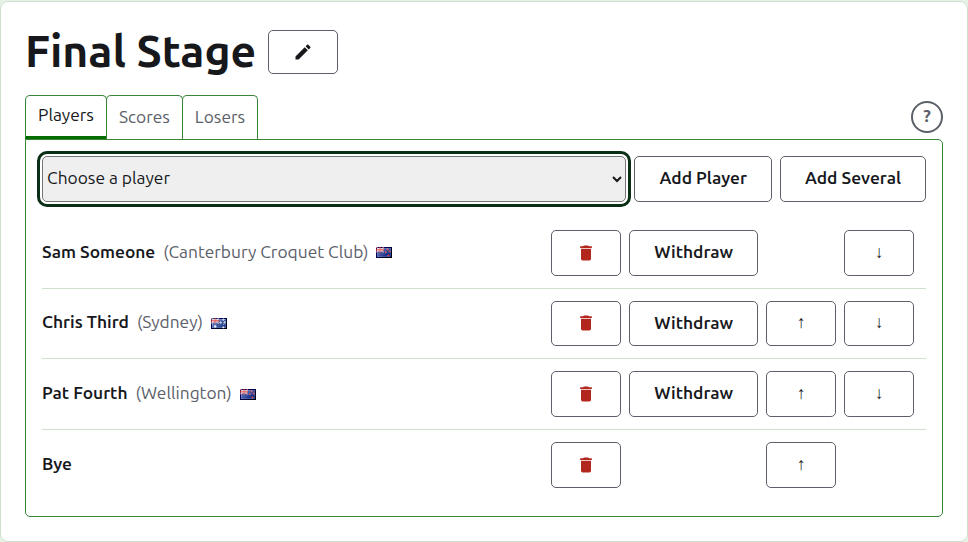
A bye is placed in the draw as a player is: it can be moved up and down and removed, but it cannot withdraw, since it plays nothing. A player entered in a knockout whose every place is filled is refused, and the tab says so beneath the drop-down.
The order of a knockout's players is its draw. The first two places meet in the first match, the next two in the next, and so on. Put the players in the order the draw is to be played in before any score is entered, since once the knockout has a game in use its players are fixed: nobody can be added, removed or moved. A player can still withdraw.
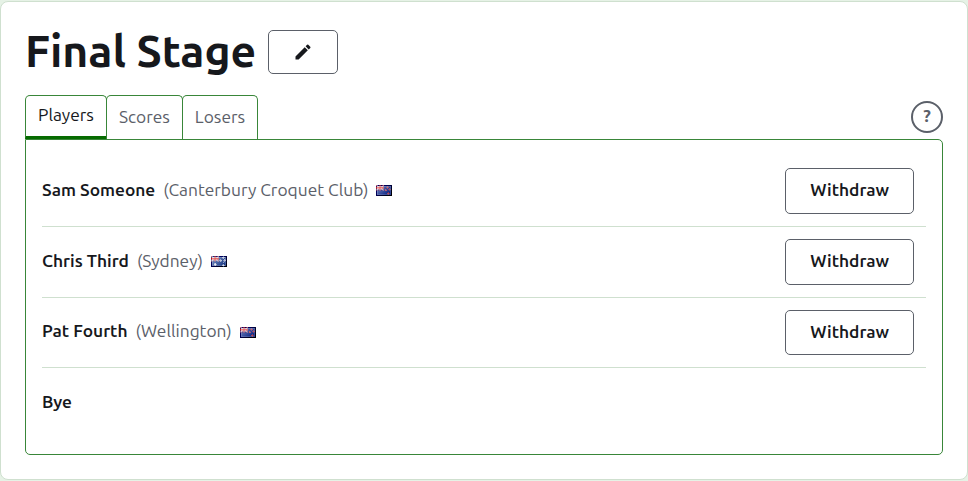
A losers knockout's players
The players of a losers knockout are not entered by hand. They are put in as the matches whose losers it takes are decided, so its Players tab only lists them, and says why.
Order
The players are listed in the competition's order, which is the order a knockout is drawn in and a block is listed in on its public page. Up and Down move a player one place.
Carry forward
Carry Forward says what a player brings into a competition from play it did not score: the results of an earlier stage, or of games played before the competition was scored here. It is offered in a block and a Swiss, which have standings for it to count in, and not in a knockout.
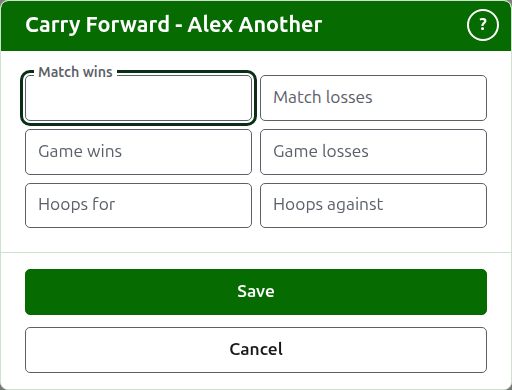
The dialog asks for six counts: matches won and lost, games won and lost, and hoops for and against. Every count is optional. A count left empty carries nothing forward, which is not the same as carrying forward 0, so that whoever changes it later sees it as it was left. Press Save to keep all six.
Removing a player
Remove takes out a player entered by mistake. They stay one of the tournament's players, and are offered again in the drop-down, but nothing is kept of their place in the competition, so Remove asks first.
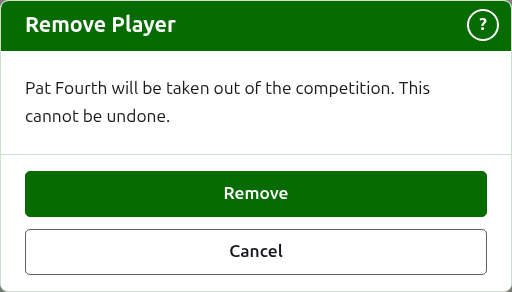
A player who has any game in use in the competition cannot be removed, since the games would then be against somebody who is no longer there, and is not offered Remove. A player whose only games are archived can be, and their archived scores go with them.
Withdrawing a player
Withdraw is for a player who will play no more of the competition. They stay in it, with the games they have played, and are listed under Withdrawn players after those still playing. In a knockout, their opponent in a match not yet decided goes through.
Withdraw asks first, since it changes the outcome of the competition: the games the player has not played are decided without them.
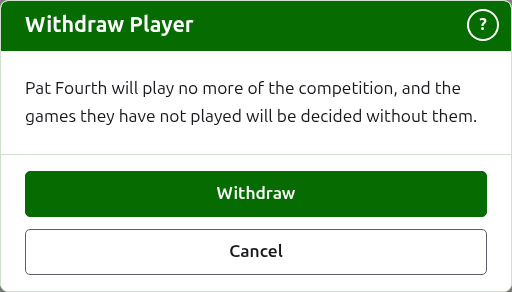
A withdrawn player offers only Unwithdraw, which puts them back among those playing, after those who stayed, without asking.
Next: Scores.