Creating a tournament
Press New Tournament above the list of tournaments in the admin. It is above the list rather than beneath it, so that a long list does not push it off a phone's screen.
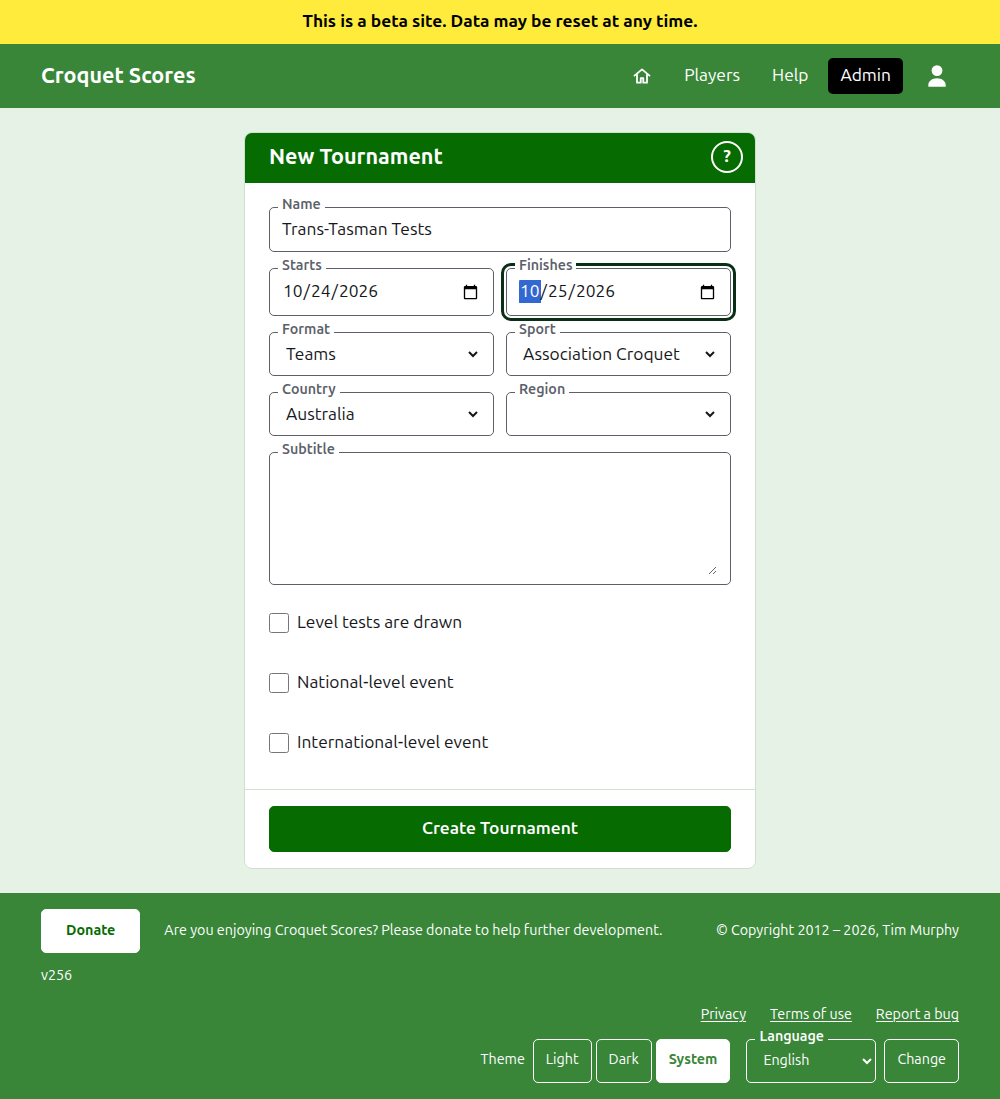
The form asks for everything a tournament begins with. What matters most here is the Format, which is what makes a tournament one played by teams.
What the form asks
Name. What readers look for to find the tournament, such as "Trans-Tasman Tests". It is between 3 and 254 characters. A name all in lower case, or all in capitals, is refused, since it would look like a mistake on every page it is shown on. Two tournaments may have the same name, since the same tournament is played every year.
Starts and Finishes. The days the tournament runs. Every test is played within them, so set them to cover the whole event. A tournament cannot finish before it starts, and cannot start or finish later than the end of next year. A tournament belongs to the year it starts in, which is also the year in its address.
Format. Choose one of the formats played by teams:
- Teams is the general format for any event between teams.
- Eire Cup, Interstate Shield and GC World Team Championship are particular events, each kept as a format of its own so that it can be run the way that event is run.
Standard is the one format not played by teams, and is not what you want here. Gateball Scores offers no format, since every tournament there is a standard tournament of gateball; a tournament played by teams is created on Croquet Scores.
Sport. The sports the website offers, in its order: Association Croquet, Golf Croquet, American 6 Wicket and Ricochet.
Country and Region. Where the tournament is played. A region is asked for only where the country you choose is divided into regions, such as Australia's states, and need not be chosen even then.
Subtitle. Whatever you want readers to know that has no field of its own: where to park, when lunch is, who to ring. It is shown beneath the tournament's name on every public page. It is written in Markdown, so a word can be made bold with asterisks around it and a list made with a dash at the start of each line. It can be up to 2000 characters, and can be left empty.
How its tests are played and counted, whether with handicaps, with drawn results, and towards the world rankings, is each test's to say when it is added.
Level tests are drawn. Asked once a format played by teams is chosen. A test whose teams win the same number of matches is decided by their net games, then their net hoops. Tick this and it is a draw instead. It is ticked to begin with only for the GC World Team Championship, which has always drawn them, and can be changed later.
National‑level event and International‑level event. A tournament can be one, the other, or neither, but never both: ticking one unticks the other.
Creating it
Press Create Tournament. You are taken to the tournament's page in the admin, open on its Teams tab, and you are its first manager. It is listed in the admin under the year it starts in.
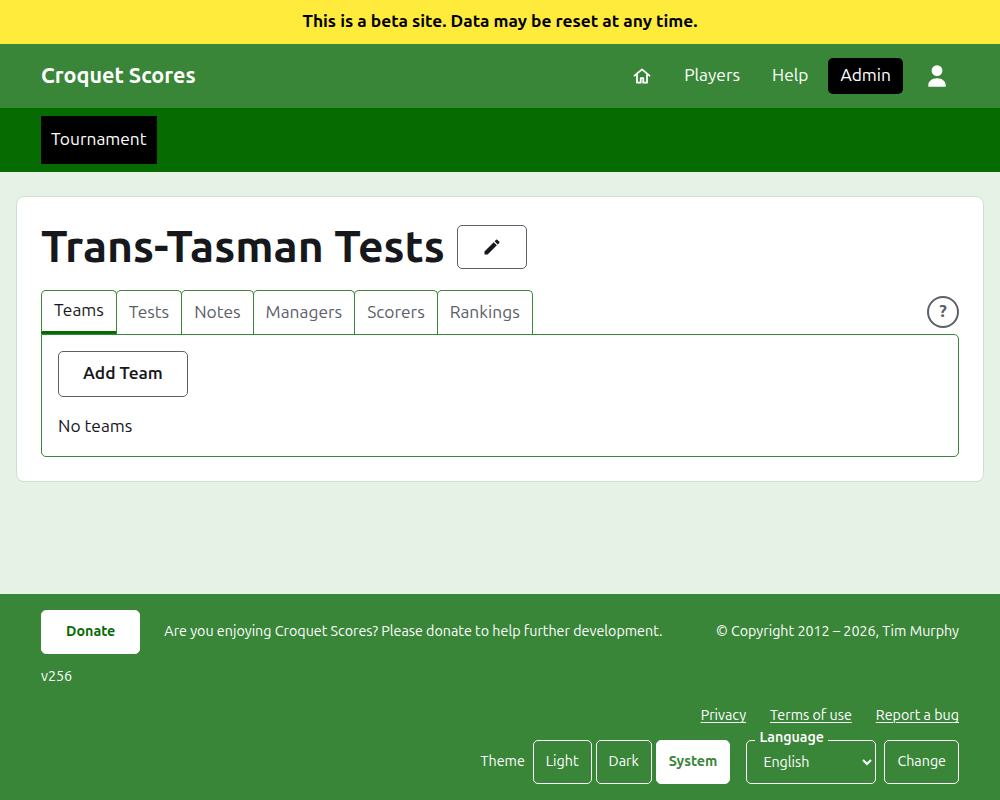
The tournament's public address is made from its year, its sport and its name, as /2026/ac/trans-tasman-tests. It keeps that address when its name is corrected later, so that a link already sent still finds it; it moves only when the year it starts in, or its sport, changes.
If something is refused
What is refused is said beneath the field it is about, and what you typed stays typed. Nothing is kept until every field is accepted. The things most often refused are a name typed all in lower case, a finish before the start, and a country not chosen.
Next: Teams.